Brands
How an extracted website becomes a versioned, renderable brand.
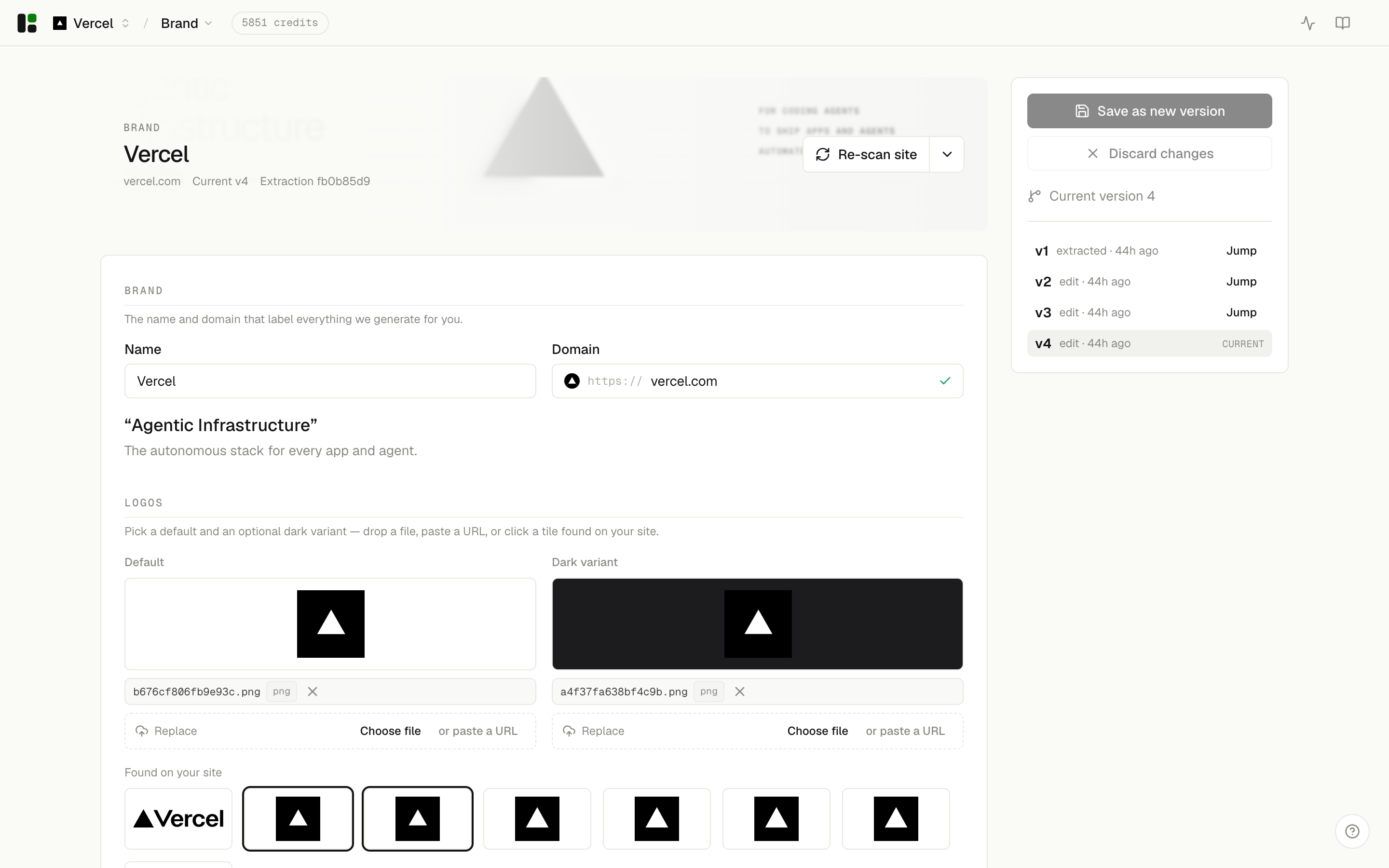
Brand document
A brand is a single canonical document. It holds the design decisions a template needs to render on-brand: colors, typography, logo, and voice. You create it three ways — extract it from a URL, upload assets, or edit it by hand — and every path writes to the same shape.
Tokens
Templates never read raw brand fields. They consume derived tokens — resolved colors, typography, spacing, and semantic roles (primary, surface, accent). Extraction produces a first pass; your edits refine it. Because templates only see tokens, the same copy renders consistently across every template.
Versions
Each save creates a new brand version. A render captures the version it used, so past renders stay reproducible even after you keep editing the brand. You can list versions and restore an earlier one.
Re-extraction
When a site changes, re-run extraction against an existing brand. assets.dev computes a per-field diff so you choose what to accept before it becomes a new version — nothing is overwritten silently.
The relevant endpoints are grouped under Brands and Extractions in the API reference.